 Ball Bearing
For iPhone · Coming soon
Lost it in the trees? Walk straight to it.
Aim your phone down the line the ball flew and say how far you hit it. Ball Bearing puts the search zone on a satellite map, then keeps you on the line until you’re standing in it.
- 10 free searches, then 2 every day
- £4.99 once for unlimited
- No account, no tracking

Three steps, while you still remember the line
By the time you’ve walked 200 yards, the tree you picked looks different and the line has drifted. Ball Bearing records it from where you’re standing, before you set off.
-
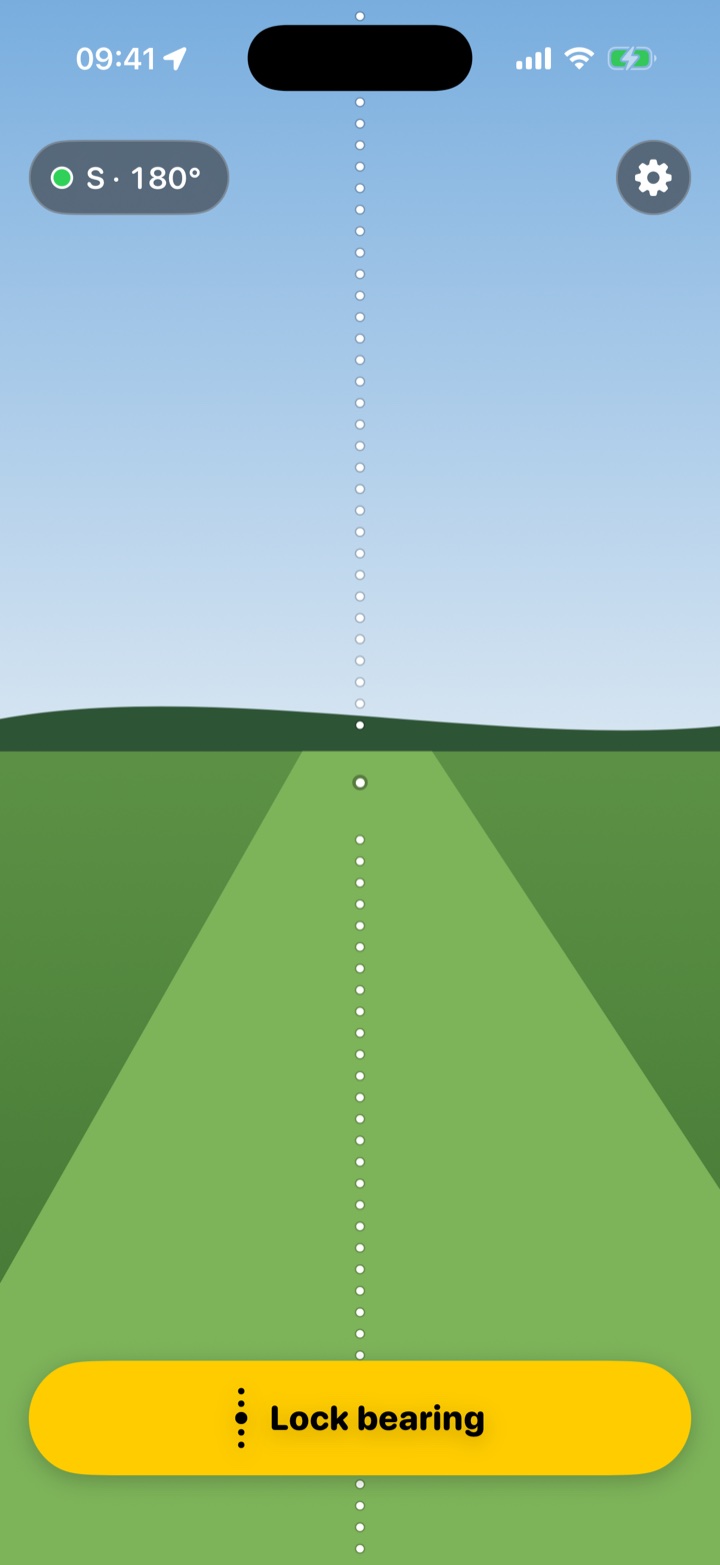
1Aim
Stand where you hit from. Line the dotted line up on where the ball landed, or the last tree it flew past, and lock the bearing. The dot goes green when the compass is happy.
-
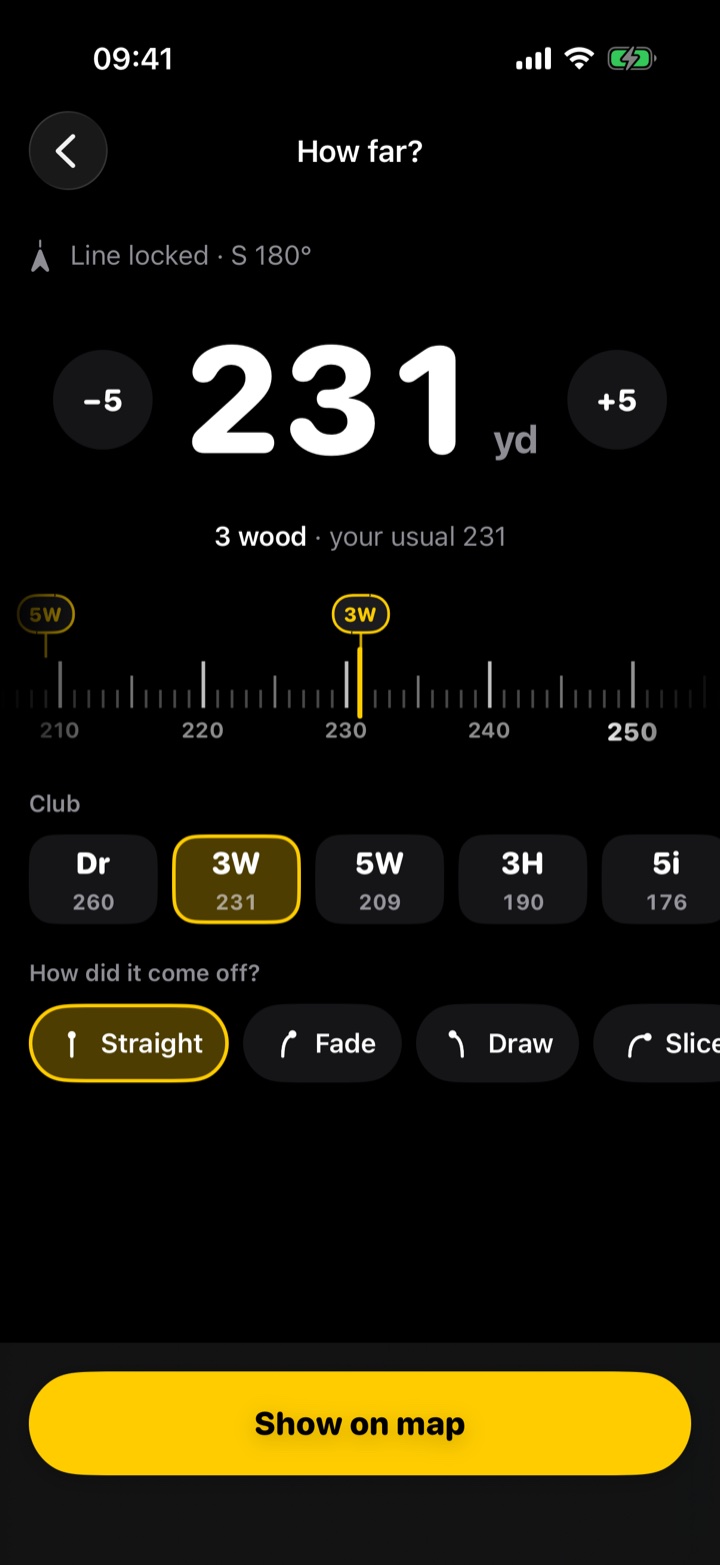
2Say how far
Flick the ruler to your best guess. With Unlimited, tap the club you hit and its usual distance is already there, nudged for a slice or a fat one.
-
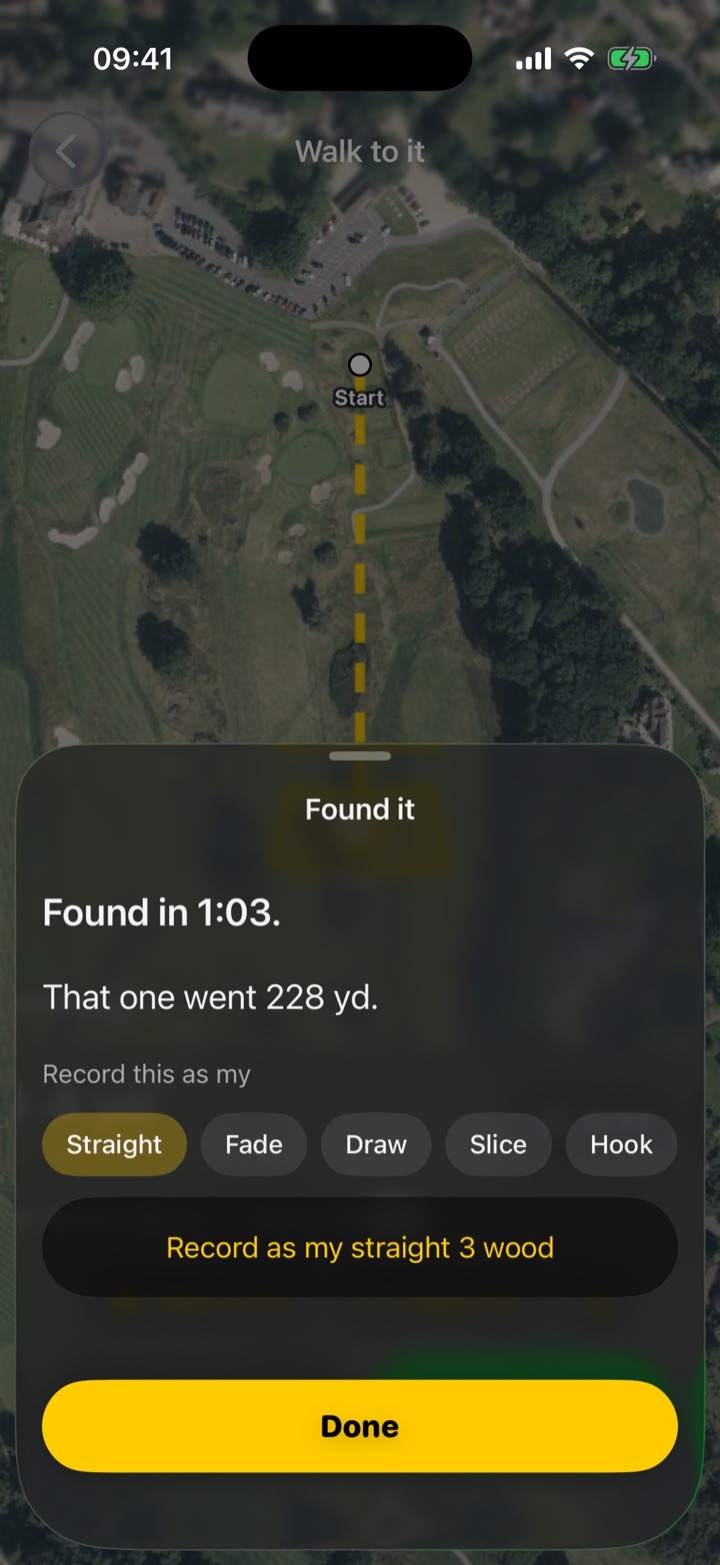
3Walk to it
Follow the line on the satellite map as the yards count down. Tap Found it, and Unlimited learns how far that club really goes.
It shows you where to look, and how sure it is
-
The zone widens when the compass is unsureSteel shafts, a buggy or a magnetic ball marker can pull a phone compass off. When that happens the dot says so and the zone gets wider, so it still covers your ball.
-
Slide the band to match your guessAnywhere from ±5 to ±50 yards. Sure it carried the bunker? Tighten it. Not sure at all? Let it out.
-
Recognise the spot? Drag the zone onto itIf you saw it kick off the path by the big oak, move the zone there and walk to that instead.
-
A three-minute timer when you get thereThat’s all the Rules allow for a search, so it starts on its own when you walk into the zone.
Free to use. £4.99 once for unlimited.
The free version is the whole app, not a trial, and it never runs out. Unlimited is a single payment: no subscription, no account.
Free
£0
Ten searches to start, then two every day for as long as you play.
- Aim, distance and the satellite map
- Move the zone and the three-minute timer
- Your last three distances, one tap away
Unlimited
£4.99once
Pay once and it’s yours for good, on all your iPhones.
- Unlimited searches
- Your clubs on the distance ruler, one tap each
- Learns your real distances from balls you find
- Remembers your slice, hook, thin and fat
- Share the zone with a playing partner
Your family gets it too. If you use Apple’s Family Sharing, up to five people in your family group can use Unlimited on their own iPhones, at no extra cost.
Bought through the App Store. Apple sets the price in other currencies.
Nothing leaves your phone
No account to make, no adverts and no analytics. Your searches and club distances stay on your iPhone. The camera and your location are only used while you’re searching, and the photo of the line is deleted after 30 days. Read the privacy policy.
Before the first tee
How accurate is it?
As accurate as your line and your guess at the distance. A good compass reading is usually within a few degrees, which puts a 150-yard shot within about ten yards either side of the line.
Lining the dotted line up on something the ball flew past, like a tree or a bunker, helps more than anything.
What if the compass dot isn’t green?
Step away from your bag and the buggy, and keep MagSafe wallets and magnetic ball markers away from the phone. Turn and tilt it for a few seconds. If it still can’t settle, lock anyway: the zone is drawn wider to cover the doubt.
Does it need phone signal?
The satellite map needs a connection to load, and keeps what it has already shown. GPS works without signal, so the line, the distance count-down and the timer carry on regardless.
Can I use it in a competition?
The Rules of Golf allow devices that give distance or direction (Rule 4.3a), and finding your ball isn’t advice on how to play a stroke. A competition’s Local Rules can restrict devices, so check them first.